

Industrial Diploma in Game Design

Industrial Diploma in Game Design course concept artwork
Autodesk Maya
+
Adobe Photoshop
◷ 6 Months◈ Multimedia
YOUR CREATIVE TOOLKIT
Autodesk MayaAdobe PhotoshopSubstance 3D PainterUnreal EngineZBrushMarmoset ToolbagUnityQuixel

Industrial Diploma in Game Design

The 6-Month Industrial Diploma in Game Design is a practical, industry-oriented program designed to introduce students to the complete game development and game design workflow, from initial game concepts and asset creation to environment building, level design, basic gameplay, testing, optimization, and final playable project development.

THE CREATIVE PROCESS / Game Design

Build a world worth exploring.

A game world needs more than attractive assets. Paths, landmarks, proportions and visual cues help players understand where they are and what they can do. Start with the experience you want to create, then develop a consistent visual direction.

Test the layout with simple blockout shapes before refining props and environments. Bringing assets into an engine lets you evaluate scale, lighting and player flow together. Review a scene from the player’s viewpoint and ask whether its important routes and objectives are clear.

Explore the complete creative process below, then read the selected programme syllabus for its software, topics and project scope. These production stages explain how the discipline works; they are not a replacement for the month-by-month training plan.

01 / THINK LIKE A CREATOR

What can you create?

Develop a game concept, a visual direction, individual props and a connected environment. A small playable space can communicate a world through its architecture, materials, landmarks and the route a player follows. Start with a manageable setting so that each asset has a clear purpose.
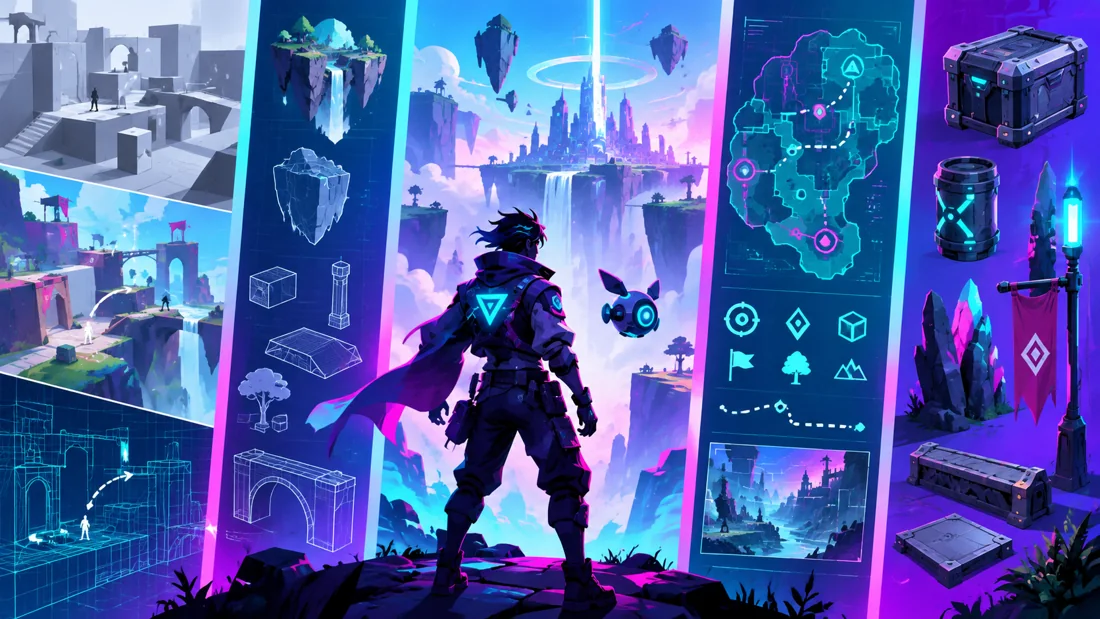
Concept illustration: visual planning, blockouts and assets contribute to a game world.

02 / FROM IDEA TO FINISHED WORK

The game design production journey.

Follow each stage in order to understand its purpose, the decisions involved and how its result supports the next step. Review and revision are part of every stage.

01

Game idea & player experience

Begin with the player: what can they do, what are they trying to achieve and what makes the experience interesting? Identify a genre, audience and core activity. A focused idea gives later design choices a reason; adding more features does not automatically make a stronger game.

Practice focusWrite a short concept describing the player, their goal and one repeatable activity.

02

Game design document & planning

Turn the idea into a practical brief. Describe the rules, mechanics, objectives, world and intended visual style. A game design document helps you keep decisions consistent and identify the assets needed for a project. Keep the scope small enough to build and review.

Practice focusPrepare a simple GDD, an asset list and a rough level sketch.

03

Concept art & visual development

Gather references for architecture, characters, props, materials and atmosphere. Explore silhouettes, proportions and colour palettes before committing to detailed production. Your concept work should explain both how the world looks and how its objects function within it.

Practice focusCreate a moodboard and a prop or environment concept sheet with useful construction references.

04

3D modeling & sculpting

Build game assets from broad shapes to finer detail. Pay attention to scale, silhouette and clean topology. Sculpting can develop organic forms or high-resolution detail, while a production mesh needs suitable geometry for the intended real-time use. Modular pieces help assemble larger spaces consistently.

Practice focusDevelop one asset through blockout, refined model and a topology review.
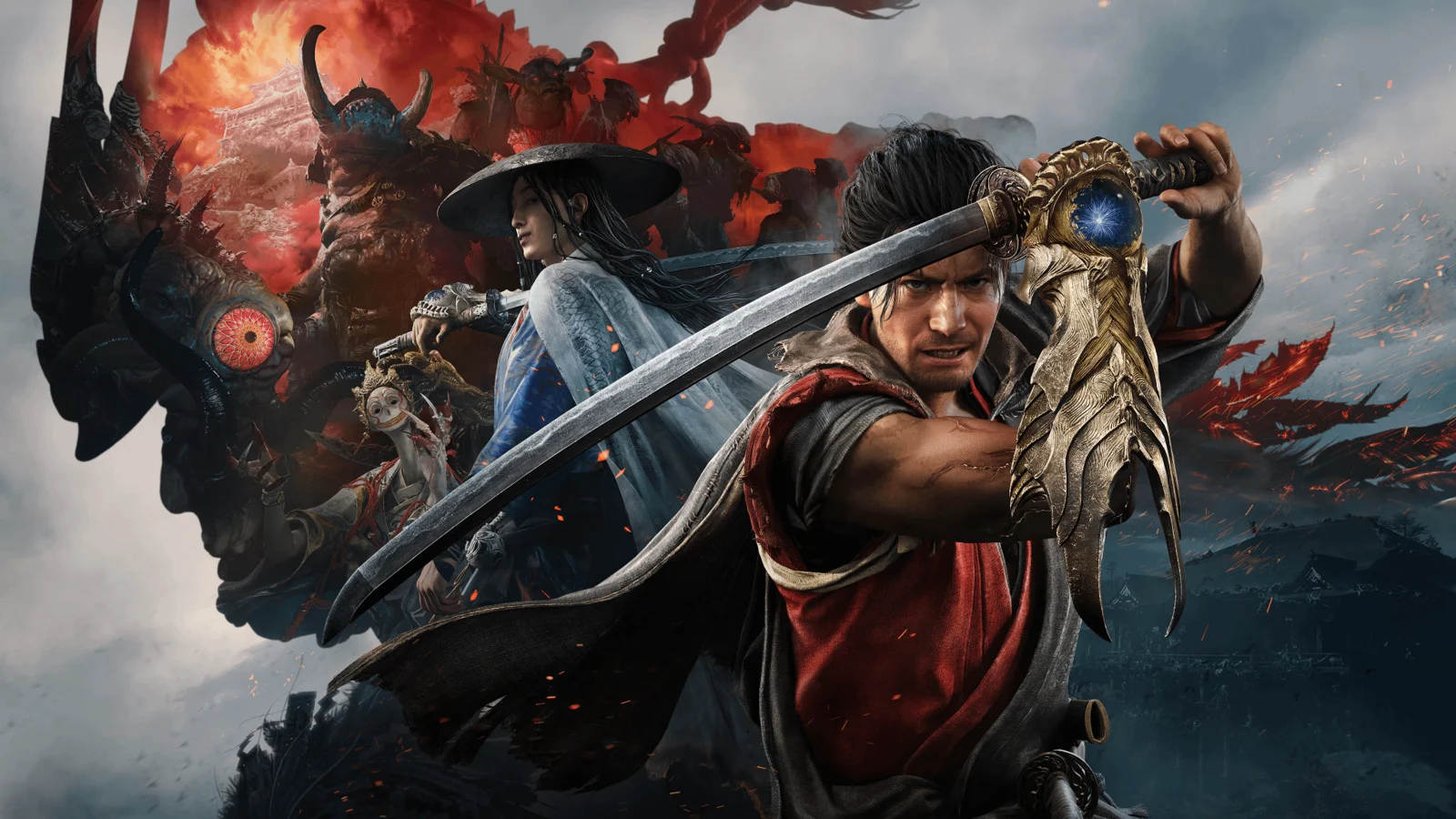
Creative reference: study how form, composition and visual detail support the finished image. Reference artwork, not a student project.
05

UV mapping, baking & PBR texturing

Arrange UVs so that surfaces can receive textures with consistent detail. Baking transfers useful information from geometry into maps; texturing defines colour, roughness, metallic response and surface variation. Think about construction and wear instead of adding random scratches to every surface.

Practice focusShow the model, UV layout, baked maps and finished material together.

06

Unreal Engine & environment assembly

Import assets at the correct scale, organise the project and set up materials. Assemble a scene using purposeful placement and a clear composition. Check pivots, collisions and asset relationships early so that a scene remains workable as more elements are added.

Practice focusBuild a small environment using a consistent set of modular pieces and props.

07

Level design & environmental storytelling

Review the environment as a space that a player moves through. Paths, sightlines, landmarks and changes in scale can guide attention. Set dressing can suggest what happened in the world, but should support navigation rather than obscure important areas.

Practice focusWalk through the layout and identify where a new player might become confused.

08

Lighting, optimisation & presentation

Use light to reveal the scene and reinforce its mood. Balance the visual result with the needs of real-time performance, reviewing geometry, textures and scene complexity as covered in the programme. Camera work should communicate the space clearly instead of hiding unfinished areas.

Practice focusCompare a lighting pass with a performance review and document the changes you make.

09

Portfolio case study & showreel

Bring the concept, blockout, asset work and final environment into a concise case study. Explain what you made, which resources were supplied and what changed after feedback. A walkthrough, final views and selected technical breakdowns help someone understand both the world and your production decisions.

Practice focusPresent a coherent project from initial plan to finished scene, with clear asset credits.

03 / MAKE YOUR PROGRESS VISIBLE

Show the work. Explain the decisions.

Present the concept, blockout and final environment as a connected story. Include asset breakdowns and explain your contribution. Game asset creation, environment art and level design require focused examples; the programme below defines the scope of your training.

Keep the strongest work first. Use a short brief, selected process views and the final result to explain a project. Include feedback-driven improvements where they help someone understand your development. State which parts you created and credit shared assets.

04 / FIND YOUR DIRECTION

Connect your skills with a creative role.

Game art, environment art, prop creation and level design focus on different evidence. Asset roles benefit from clean modeling and texture breakdowns; environment roles need composition and world building; level design needs a clear explanation of player flow. Choose examples that fit the role rather than showing every exercise.

05 / YOUR LEARNING JOURNEY

Explore the programme in detail.

Read the programme information below for the exact training topics, software and practical work. Month headings describe the teaching schedule; the process above explains how those skills connect in a production. Where a syllabus groups several months together, that grouping is retained.

Visual references illustrate creative workflows, not student project results. Project complexity follows the selected syllabus. Course completion does not guarantee employment.

- Industrial Diploma in Game Design
  • Duration: 6 Months | Basic → Intermediate | Industry-Oriented | Project-Based
Course Summary

The 6-Month Industrial Diploma in Game Design is a practical, industry-oriented program designed to introduce students to the complete game development and game design workflow, from initial game concepts and asset creation to environment building, level design, basic gameplay, testing, optimization, and final playable project development.

The program follows a structured Basic → Intermediate → Production learning pathway. Students will develop both creative and technical skills required to create game-ready 3D assets and assemble them into interactive game environments.

The course covers game design fundamentals, game mechanics, 3D modeling, game-ready asset creation, low-poly and high-poly workflows, UV mapping, texturing, PBR materials, environment design, Unreal Engine, level design, lighting, foliage, basic Blueprint scripting, gameplay mechanics, asset optimization, testing, and portfolio development.

Students will receive hands-on training in Autodesk Maya, Adobe Photoshop, Adobe Substance 3D Painter, Unreal Engine, ZBrush, and Marmoset Toolbag, with exposure to Quixel / Fab Assets for environment and production workflows. Unity is included as an optional additional game engine for students who want exposure to an alternative development workflow.

The program combines game design theory, software training, practical exercises, game-ready asset production, environment creation, level design, engine-based implementation, and a final playable game project.

  • Complete Game Production Workflow

Game Concept → Game Mechanics → 3D Modeling → High-Poly / Low-Poly → UV → Texturing → Baking → Game-Ready Assets → Unreal Engine → Environment → Level Design → Lighting → Gameplay → Testing → Optimization → Final Playable Game

Month 1 — Game Design Fundamentals & Maya

The first month introduces students to the fundamentals of game design and 3D asset creation, establishing the technical foundation required for game production.

  • Game Design Fundamentals
  • Introduction to the Game Industry
  • Game Development Pipeline
  • Game Design vs Game Development
  • Game Concepts
  • Game Genres
  • Target Audience
  • Game Mechanics
  • Game Objectives
  • Player Interaction
  • Rules & Systems
  • Basic Game Loop
  • Level & Environment Concepts
  • Game Reference & Research
  • Autodesk Maya
  • Maya Interface & Navigation
  • Scene Management
  • Transform Tools
  • Polygon Modeling
  • Vertices, Edges & Faces
  • Extrude & Bevel
  • Edge Loops
  • Basic Topology
  • Hard-Surface Modeling
  • Game-Ready Modeling Principles
  • Game Asset Creation
  • Prop Modeling
  • Environment Props
  • Modular Asset Basics
  • Scale & Proportion
  • Low-Poly Modeling
  • Polygon Optimization
  • Practical Projects
  • Game Prop
  • Hard-Surface Asset
  • Simple Environment Asset
  • Game Concept Exercise
Month 2 — Advanced Game Assets, Topology & ZBrush

The second month focuses on creating optimized game-ready assets and introduces students to high-poly modeling and digital sculpting.

  • Advanced Maya
  • Advanced Polygon Modeling
  • Hard-Surface Modeling
  • Low-Poly Workflow
  • High-Poly Workflow
  • Game-Ready Topology
  • Edge Flow
  • Mesh Optimization
  • Modular Environment Assets
  • Character Asset Basics
  • UV & Topology
  • UV Fundamentals
  • UV Unwrapping
  • UV Seams
  • UV Shells
  • UV Layout
  • Texel Density
  • UV Optimization
  • Game Asset Preparation
  • ZBrush
  • ZBrush Interface
  • Digital Sculpting Basics
  • Sculpting Brushes
  • Dynamesh
  • Subdivision
  • High-Poly Sculpting
  • Surface Details
  • Basic Character Sculpting
  • Environment Detail Sculpting
  • Game Asset Workflow
  • High-Poly Model → Low-Poly Model → Retopology → UV → Baking Preparation
  • Practical Projects
  • Game-Ready Prop
  • High-Poly / Low-Poly Asset
  • Environment Asset
  • Basic Character / Creature Asset
Creative reference: study composition, visual hierarchy and presentation in the finished image. Reference artwork, not student work.
Month 3 — Professional Texturing & PBR Workflow

The third month focuses on creating game-ready textures and materials using Photoshop and Substance 3D Painter.

  • Adobe Photoshop
  • Photoshop Interface
  • Image Editing
  • Texture Preparation
  • Texture Editing
  • Texture Cleanup
  • Color Adjustment
  • Texture Map Editing
  • Supporting Game Graphics
  • Adobe Substance 3D Painter
  • Substance 3D Painter Interface
  • Project Setup
  • Importing Game Assets
  • Baking Mesh Maps
  • Normal Maps
  • Ambient Occlusion
  • Curvature
  • Smart Materials
  • Smart Masks
  • Fill Layers
  • Generators
  • Surface Details
  • PBR Texturing
  • Base Color
  • Roughness
  • Metallic
  • Normal
  • Ambient Occlusion
  • Material Definition
  • Surface Variation
  • Wear & Tear
  • Dirt & Damage
  • Realistic Material Creation
  • Game-Ready Texturing
  • Texture Resolution
  • Texture Optimization
  • Texture Sets
  • PBR Workflow
  • Export Settings
  • Engine-Ready Texture Preparation
  • Practical Project
  • Complete Game-Ready Asset
  • High-Poly → Low-Poly → UV → Bake → PBR Texture → Export
  • Students will create a production-ready asset suitable for use inside a game engine.
Month 4 — Unreal Engine & Environment Assembly

The fourth month introduces Unreal Engine and focuses on bringing 3D assets into an interactive game environment.

  • Unreal Engine
  • Unreal Engine Interface
  • Project Setup
  • Content Browser
  • Level / Scene Management
  • Importing Maya Assets
  • Static Meshes
  • Asset Organization
  • Material Setup
  • Texture Integration
  • Materials
  • Material Fundamentals
  • Material Instances
  • Texture Connections
  • Basic Shader Setup
  • Material Variations
  • Lighting
  • Lighting Fundamentals
  • Directional Light
  • Point & Spot Lights
  • Environment Lighting
  • Shadows
  • Mood & Atmosphere
  • Basic Cinematic Lighting
  • Quixel / Fab Assets
  • Understanding Game Asset Libraries
  • Importing Ready-Made Assets
  • Environment Asset Selection
  • Asset Integration
  • Combining Custom & Library Assets
  • Environment Assembly
  • Modular Environment Workflow
  • Environment Composition
  • Props Placement
  • Asset Reuse
  • Scene Organization
  • Basic World Building
  • Practical Project
  • 3D Environment Scene

Students will create an environment using their own game-ready assets combined with appropriate Quixel / Fab resources.

Month 5 — Level Design, Gameplay & Optimization

The fifth month focuses on interactive level creation, basic gameplay systems, and optimization.

  • Level Design
  • Level Design Fundamentals
  • Level Layout
  • Player Flow
  • Environment Storytelling
  • Gameplay Spaces
  • Pathways
  • Checkpoints
  • Spawn Areas
  • Interactive Areas
  • Basic Level Balancing
  • Environment Building
  • Landscape
  • Terrain Basics
  • Foliage
  • Vegetation
  • Props
  • Modular Environment Construction
  • Environmental Details
  • Unreal Engine
  • Blueprint Fundamentals
  • Variables
  • Events
  • Basic Functions
  • Player Interaction
  • Triggers
  • Doors
  • Pickups
  • Simple Interactive Objects
  • Game Mechanics
  • Player Movement Basics
  • Interaction Systems
  • Simple Objectives
  • Collectibles
  • Triggers
  • Basic Game Rules
  • Simple Gameplay Logic
  • Asset Optimization
  • Polygon Optimization
  • Texture Optimization
  • Material Optimization
  • Asset Organization
  • Performance Basics
  • Basic Level Optimization
  • Practical Project
  • Interactive Game Level
  • Students will build a small playable level containing:
  • Environment + Lighting + Assets + Basic Interaction + Gameplay Mechanics
Month 6 — Final Game Production & Portfolio

The final month brings together all the skills learned throughout the program to create a complete playable game project.

  • Pre-Production
  • Game Concept Development
  • Game Design Document Basics
  • Game Mechanics
  • Reference Collection
  • Asset Planning
  • Level Planning
  • Production Schedule
  • Production
  • Game Asset Creation
  • Modeling
  • UV
  • Texturing
  • Environment Development
  • Level Design
  • Material Setup
  • Lighting
  • Blueprint Gameplay
  • Player Interaction
  • Testing
  • Playtesting
  • Bug Identification
  • Gameplay Testing
  • Level Testing
  • Asset Checking
  • Basic Performance Testing
  • Gameplay Refinement
  • Optimization Basics
  • Mesh Optimization
  • Texture Optimization
  • Material Optimization
  • Scene Optimization
  • Performance Review
Final Project

Students will complete a Playable Game Level / Mini Game Project demonstrating the complete workflow from concept to implementation.

  • Final Industry Project
  • Complete Game Environment + Playable Level

Students will develop a final game project following a simplified professional production pipeline.

  • Project Workflow

Game Concept ↓ Game Mechanics & Planning ↓ Reference & Asset Planning ↓ 3D Modeling ↓ High-Poly / Low-Poly ↓ UV Mapping ↓ Texturing ↓ Game-Ready Asset Preparation ↓ Unreal Engine Import ↓ Environment Assembly ↓ Level Design ↓ Materials & Lighting ↓ Blueprint Gameplay ↓ Testing ↓ Optimization ↓ Final Playable Project

  • Core Software — Must Learn
  • 1. Autodesk Maya
  • Game-Ready Modeling • Props • Environments • Low-Poly / High-Poly

Maya is the primary modeling software used to create optimized game assets, props, environments, and other 3D content.

  • 2. Adobe Photoshop
  • Texture Editing • Image Preparation • Game Graphics

Photoshop is used for texture preparation, image editing, texture maps, and supporting game graphics.

  • 3. Adobe Substance 3D Painter
  • PBR Texturing • Baking • Materials • Game-Ready Textures

Substance 3D Painter is used to create detailed PBR textures and materials for game-ready 3D assets.

  • 4. Unreal Engine
  • Environment • Level Design • Lighting • Gameplay • Game Assembly

Unreal Engine is the primary game engine used to bring 3D assets together and create interactive environments and playable levels.

  • 5. ZBrush
  • Digital Sculpting • High-Poly Details • Character / Creature Assets

ZBrush is used for creating high-poly details, sculpting, and developing advanced forms for game assets.

  • 6. Marmoset Toolbag
  • Baking • Asset Presentation • Real-Time Rendering

Marmoset Toolbag provides exposure to professional asset baking, real-time rendering, material presentation, and portfolio-quality asset previews.

  • 🧩 Additional Resources
  • Quixel / Fab
  • Environment Assets • Materials • Production Resources

Students will learn how to use ready-made production assets appropriately while combining them with custom-created models.

This helps students understand a hybrid production workflow where custom assets and production libraries are combined efficiently.

  • Optional Software
  • Unity
  • Alternative Game Engine • Basic Workflow Exposure

Unity is included as an optional additional tool for students who want exposure to another major game engine and a different game development workflow.

  • Professional Game Design Portfolio
  • By the end of the program, students will build a portfolio containing:
  • Game Design Concepts
  • Game Props
  • Hard-Surface Assets
  • Environment Assets
  • Low-Poly Models
  • High-Poly Models
  • UV Layouts
  • PBR Textures
  • Substance 3D Projects
  • Game-Ready Assets
  • Environment Scenes
  • Level Design
  • Unreal Engine Projects
  • Blueprint Mechanics
  • Lighting Studies
  • Final Playable Level
  • Final Game Project
  • Students can present major assets through:

Concept → High-Poly → Low-Poly → Wireframe → UV → Texture → Material → Unreal Engine → Final Presentation

Course Outcome

By the end of the 6-Month Industrial Diploma in Game Design, students will progress from basic game design concepts to intermediate, production-oriented game development skills.

  • Students will be able to:
  • Understand the game development pipeline
  • Develop basic game concepts and mechanics
  • Understand game design principles
  • Create game-ready 3D assets
  • Model optimized props and environments
  • Work with low-poly and high-poly workflows
  • Understand game topology
  • Create optimized UV layouts
  • Sculpt high-poly details in ZBrush
  • Bake game-ready texture maps
  • Create PBR materials
  • Texture assets using Substance 3D Painter
  • Edit textures using Photoshop
  • Present and bake assets using Marmoset Toolbag
  • Import assets into Unreal Engine
  • Build game environments
  • Design interactive levels
  • Create landscapes and foliage
  • Set up game lighting
  • Use Quixel / Fab assets
  • Create basic Blueprint mechanics
  • Implement simple gameplay interactions
  • Optimize game assets and environments
  • Test playable levels
  • Complete a playable game project
  • Build a professional game design portfolio
  • Present game assets professionally
  • Overall Learning Path

Game Design Fundamentals ↓ Game Concepts & Mechanics ↓ Maya Fundamentals ↓ Game-Ready Modeling ↓ Hard-Surface & Environment Assets ↓ Low-Poly / High-Poly Workflow ↓ Topology & UV Mapping ↓ ZBrush Sculpting ↓ Substance 3D Painter ↓ PBR Texturing ↓ Marmoset Baking & Presentation ↓ Unreal Engine ↓ Materials & Lighting ↓ Quixel / Fab Assets ↓ Environment Assembly ↓ Level Design ↓ Landscape & Foliage ↓ Blueprint Fundamentals ↓ Game Mechanics ↓ Optimization & Testing ↓ Final Playable Game ↓ Professional Portfolio

  • Course Progression
  • 3 Months

Certificate Program in 3D Animation Foundation Level

  • ⬇️
  • 6 Months

Industrial Diploma in 3D Animation Industry-Oriented 3D Production

  • ⬇️
  • 6 Months

Industrial Diploma in Game Design Game Assets + Unreal Engine + Level Design + Basic Gameplay

Final Course Positioning
  • Industrial Diploma in Game Design

6 Months | Basic → Intermediate | Industry-Oriented | Game-Ready Asset Creation | 3D Modeling | ZBrush | PBR Texturing | Unreal Engine | Level Design | Blueprint Fundamentals | Environment Design | Game Mechanics | Optimization | Final Playable Project | Professional Portfolio

Contact Management to Enrol

YOUR CREATIVE TOOLKIT

Software you'll explore

Follow the syllabus below for each tool’s role and learning level.

Autodesk Maya
Adobe Photoshop
Substance 3D Painter
Unreal Engine
ZBrush
Marmoset Toolbag
Unity
Quixel