Certificate Program in Motion Graphics

Certificate Program in Motion Graphics course concept artwork
Autodesk Maya
+
Adobe Photoshop
◷ 3 Months — Foundation / Basic◈ Multimedia
YOUR CREATIVE TOOLKIT
Autodesk MayaAdobe PhotoshopAfter Effects

Certificate Program in Motion Graphics

The 3-Month Certificate Program in Motion Graphics is a foundation-level course designed for beginners who want to start their career in motion graphics, digital animation, social media content, advertising, and basic 3D motion design.

THE CREATIVE PROCESS / Motion Graphics

Design that moves with purpose.

Motion graphics combines visual design with time. Type, shapes and images can guide attention, explain a concept or communicate a brand’s personality. Movement is most effective when it makes the message easier to understand.

Plan style frames and a storyboard before animating. Establish key poses, refine timing and easing, then connect the scenes with purposeful transitions. Check that text remains readable and that changes in scale, colour and movement support a consistent hierarchy.

Explore the complete creative process below, then read the selected programme syllabus for its software, topics and project scope. These production stages explain how the discipline works; they are not a replacement for the month-by-month training plan.

01 / THINK LIKE A CREATOR

What can you create?

Create animated titles, brand sequences, explainers and short promotional pieces. Motion can establish a mood or make an idea easier to follow. Begin with a clear message and design frames that remain readable before introducing movement.
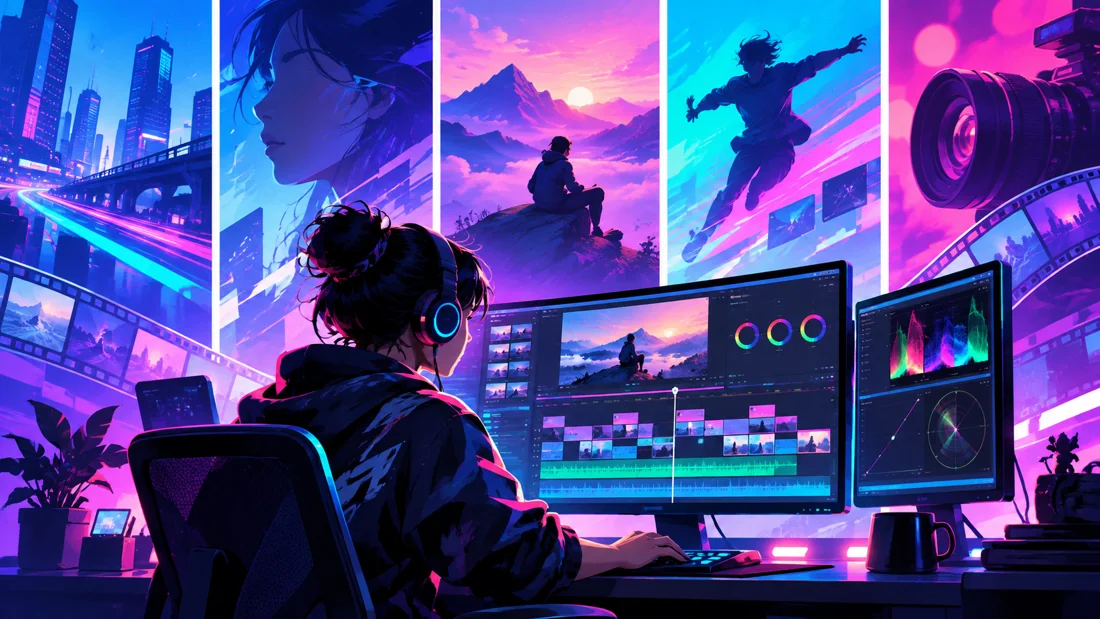
Concept illustration: composition, timing and sequence planning connect design with moving images.

02 / FROM IDEA TO FINISHED WORK

The motion graphics production journey.

Follow each stage in order to understand its purpose, the decisions involved and how its result supports the next step. Review and revision are part of every stage.

01

Message & storyboard

Define what the viewer should understand and in what order. Break the message into scenes and sketch a storyboard. This helps establish timing and transitions before detailed production, reducing the chance of attractive animation that does not explain anything.

Practice focusCreate a short storyboard with one purpose for each scene.

02

Style frames & asset preparation

Choose typography, colours, shapes and imagery that work as a coherent system. Design key frames and prepare the assets in an organised form. Check hierarchy and contrast while the composition is still static.

Practice focusMake the first, middle and final frames readable without animation.

03

Keyframes, timing & easing

Animate the main actions with clear starting and ending poses. Refine timing, spacing and easing to communicate the intended character of the movement. Keep secondary motion subordinate to the main message so that attention remains focused.

Practice focusCompare the same title animation with different timing and easing.

Creative reference: study how form, composition and visual detail support the finished image. Reference artwork, not a student project.
04

Transitions & scene continuity

Connect scenes through consistent motion and visual relationships. A transition should help the viewer follow the sequence, not interrupt it. Review pacing across the full piece and allow enough time for essential text to be read.

Practice focusPlay the sequence without pausing and identify any information that passes too quickly.

05

3D integration & compositing

Where the programme covers 3D work, plan how it supports the design. Match the camera, light and composition of the combined elements. Check how depth and movement affect the reading order instead of adding complexity for its own sake.

Practice focusTest a short integrated shot before building the full sequence.

06

Sound, output & portfolio

Use audio to support rhythm and review the final export for text, timing and image quality. Present selected work with a brief explanation of the design and animation you completed. Include process frames when they clarify the idea.

Practice focusShow a finished sequence alongside its storyboard and style frames.

03 / MAKE YOUR PROGRESS VISIBLE

Show the work. Explain the decisions.

Show a concise reel with a few supporting breakdowns. Include style frames when they help explain your idea, and identify your design and animation contribution. The monthly projects below develop the software and production skills relevant to the selected programme.

Keep the strongest work first. Use a short brief, selected process views and the final result to explain a project. Include feedback-driven improvements where they help someone understand your development. State which parts you created and credit shared assets.

04 / FIND YOUR DIRECTION

Connect your skills with a creative role.

Motion design, title animation and promotional content require both visual design and timing. Present a reel supported by a few breakdowns that show your storyboard, style frames and animation decisions.

05 / YOUR LEARNING JOURNEY

Explore the programme in detail.

Read the programme information below for the exact training topics, software and practical work. Month headings describe the teaching schedule; the process above explains how those skills connect in a production. Where a syllabus groups several months together, that grouping is retained.

Visual references illustrate creative workflows, not student project results. Project complexity follows the selected syllabus. Course completion does not guarantee employment.

- Certificate Program in Motion Graphics

Duration: 3 Months Level: Foundation / Basic Training Type: Industry-Oriented | Practical | Project-Based

Course Overview

The 3-Month Certificate Program in Motion Graphics is a foundation-level course designed for beginners who want to start their career in motion graphics, digital animation, social media content, advertising, and basic 3D motion design.

The program introduces students to the fundamental principles of visual design, image creation, animation, motion graphics, and basic 3D production.

Students will learn how to create static visual designs in Adobe Photoshop, animate graphics and typography using Adobe After Effects, and understand basic 3D modeling, lighting, camera, and animation using Autodesk Maya.

  • The course follows a simple practical workflow:

Design Fundamentals → Photoshop → After Effects → Motion Graphics → Basic 3D → Final Project → Portfolio

By the end of the course, students will be able to create basic professional motion graphics content for social media, advertisements, branding, YouTube, promotional videos, and digital platforms.

Software & Tools
  • Adobe Photoshop
  • Used for:
  • Graphic Design
  • Image Editing
  • Photo Manipulation
  • Typography
  • Poster Design
  • Social Media Creatives
  • Preparing Visual Assets for Animation
  • Adobe After Effects
  • Used for:
  • Motion Graphics
  • Text Animation
  • Logo Animation
  • Shape Animation
  • Titles
  • Lower Thirds
  • Social Media Animation
  • Basic VFX
  • Autodesk Maya
  • Used for:
  • Basic 3D Modeling
  • 3D Logo Creation
  • Simple Product Modeling
  • Basic Lighting
  • Camera
  • 3D Object Animation
  • Basic Rendering
Month 1 — Design Fundamentals & Adobe Photoshop
  • Motion Graphics Introduction
  • Introduction to Motion Graphics
  • Understanding Motion Design
  • Applications of Motion Graphics
  • Motion Graphics Production Workflow
  • Understanding Frames and Animation
  • Introduction to Visual Communication
  • Design Fundamentals
  • Elements of Design
  • Basic Design Principles
  • Color Theory
  • Color Combination
  • Typography Basics
  • Font Selection
  • Composition
  • Visual Hierarchy
  • Alignment
  • Balance
  • Contrast
  • Space
  • Basic Branding Concepts
  • Adobe Photoshop
  • Photoshop Interface & Workspace
  • Creating Documents
  • Resolution & Image Size
  • Layers
  • Layer Groups
  • Selection Tools
  • Masks
  • Crop Tool
  • Transform Tools
  • Shapes
  • Pen Tool Basics
  • Text Tool
  • Typography
  • Blending Modes
  • Adjustment Layers
  • Basic Image Editing
  • Photo Retouching Basics
  • Image Cleanup
  • Color Correction
  • Basic Photo Manipulation
  • Background Removal
  • Poster Design
  • Thumbnail Design
  • Social Media Creative Design
  • Advertisement Design Basics
  • Preparing Photoshop Assets for Animation
Month 1 Projects
  • Poster Design
  • Social Media Creative
  • YouTube Thumbnail
  • Promotional Artwork
  • Basic Advertisement Creative
Creative reference: study composition, visual hierarchy and presentation in the finished image. Reference artwork, not student work.
Month 2 — Adobe After Effects & Basic Motion Graphics
  • After Effects Fundamentals
  • After Effects Interface
  • Workspace
  • Project Panel
  • Composition Setup
  • Resolution & Frame Rate
  • Timeline
  • Layers
  • Importing Photoshop Files
  • Transform Properties
  • Transform Animation
  • Position
  • Scale
  • Rotation
  • Opacity
  • Anchor Point
  • Keyframe Animation
  • Understanding Keyframes
  • Creating Keyframes
  • Editing Keyframes
  • Timing
  • Spacing
  • Easy Ease
  • Basic Graph Editor
  • Motion Blur
  • Layer Management
  • Parenting
  • Null Objects
  • Pre-Compositions
  • Adjustment Layers
  • Blending Modes
  • Masks
  • Track Mattes
  • Basic Motion Graphics
  • Text Animation
  • Shape Animation
  • Logo Animation
  • Icon Animation
  • Title Animation
  • Lower Third Animation
  • Simple Kinetic Typography
  • Animated Posters
  • Social Media Motion Graphics
  • Promotional Motion Graphics
  • Animated Brand Elements
  • Basic VFX Introduction
  • Masking
  • Basic Green Screen / Chroma Key
  • Basic Motion Tracking
  • Screen Replacement Introduction
  • Basic Compositing
  • Effects & Presets
Month 2 Projects
  • Logo Reveal
  • Animated Title
  • Text Animation
  • Lower Third
  • Animated Social Media Post
  • Promotional Motion Graphic
  • Simple Kinetic Typography
Month 3 — Autodesk Maya & Basic 3D Motion Graphics
  • Maya Fundamentals
  • Maya Interface
  • Workspace
  • Viewport Navigation
  • Understanding 3D Space
  • Object Selection
  • Move
  • Rotate
  • Scale
  • Pivot Point
  • Scene Organization
  • Basic 3D Modeling
  • Polygon Primitives
  • Vertices
  • Edges
  • Faces
  • Extrude
  • Bevel
  • Insert Edge Loop
  • Basic Modeling Workflow
  • Simple Product Modeling
  • Basic Logo Modeling
  • Basic 3D Text Creation
  • Materials & Lighting
  • Introduction to Materials
  • Basic Material Application
  • Basic Colors & Textures
  • Introduction to Lighting
  • Basic Light Types
  • Light Placement
  • Three-Point Lighting Basics
  • Camera
  • Camera Creation
  • Camera Placement
  • Camera Angles
  • Basic Composition
  • Camera Movement
  • Basic 3D Animation
  • Timeline
  • Keyframes
  • Position Animation
  • Rotation Animation
  • Scale Animation
  • Basic Object Animation
  • Basic Logo Animation
  • Simple Product Animation
  • Camera Animation
  • Basic Rendering
  • Introduction to Rendering
  • Render Settings
  • Resolution
  • Camera Render
  • Image Output
  • Basic Render Quality
  • Maya + After Effects Introduction
  • Exporting Maya Render
  • Importing Render into After Effects
  • Adding Text
  • Adding Motion Graphics
  • Basic Color Correction
  • Basic 2D + 3D Integration
Month 3 Projects
  • Basic 3D Logo
  • Simple Product Model
  • 3D Logo Animation
  • Basic Product Animation
  • Simple Camera Animation
  • 2D + 3D Motion Graphics Project
Final Projects
  • Students will complete selected projects such as:
  • Professional Poster / Advertisement Design
  • Logo Animation
  • Kinetic Typography Video
  • Social Media Motion Graphic
  • Promotional Motion Graphic
  • Basic 3D Logo Animation
  • Simple Product Animation
  • Final Motion Graphics Project
  • Skills Students Will Develop
  • By the end of the course, students will understand:
  • Graphic Design Fundamentals
  • Visual Communication
  • Photoshop Design Workflow
  • Basic Animation Principles
  • After Effects Fundamentals
  • Text Animation
  • Shape Animation
  • Logo Animation
  • Social Media Motion Graphics
  • Basic VFX
  • Basic Compositing
  • Maya Fundamentals
  • Basic 3D Modeling
  • Basic 3D Animation
  • Lighting & Camera Basics
  • Basic 2D + 3D Integration
  • Portfolio Preparation
Course Outcome

After completing the 3-month program, students will be able to create basic motion graphics content independently.

  • Students can create:
  • Animated Social Media Posts
  • Logo Reveals
  • Animated Titles
  • Lower Thirds
  • Kinetic Typography
  • Promotional Motion Graphics
  • Basic Advertisement Videos
  • Simple Brand Animations
  • Basic 3D Logo Animations
  • Simple Product Animations
  • Basic Motion Graphics Portfolio

This course provides a strong foundation for students who want to continue into advanced Motion Graphics, VFX, 3D Animation, Advertising, Video Editing, or Digital Content Creation.

Job Opportunities

After completing the course and developing a good beginner portfolio, students can explore entry-level roles such as:

  • Junior Motion Graphics Artist
  • Motion Graphics Intern
  • Junior Motion Designer
  • Social Media Motion Designer
  • Video Graphics Artist
  • Junior After Effects Artist
  • Junior Multimedia Designer
  • Digital Content Designer
  • Social Media Content Creator
  • Graphic & Motion Designer
  • Junior Video Editor with Motion Graphics Skills
  • Advertising Creative Assistant
  • YouTube Content Designer
  • Promotional Video Designer
  • Freelance Motion Graphics Artist
  • Freelance Opportunities
  • Students can also work on basic freelance projects such as:
  • Logo Animation
  • YouTube Intro / Outro
  • Social Media Reels Graphics
  • Animated Posters
  • Title Animation
  • Lower Thirds
  • Promotional Videos
  • Instagram Motion Posts
  • Event Promotion Graphics
  • Product Promotion Animation
  • Basic 3D Logo Animation
  • Career Progression

Motion Graphics Intern ↓ Junior Motion Graphics Artist ↓ Motion Graphics Designer ↓ Senior Motion Designer ↓ Lead Motion Designer / Art Director

Students who want to move into advanced professional production can continue with the 6-Month Industrial Diploma in Motion Graphics – Basic to Advanced.

Contact Management to Enrol

YOUR CREATIVE TOOLKIT

Software you'll explore

Follow the syllabus below for each tool’s role and learning level.

Autodesk Maya
Adobe Photoshop
After Effects